What it is
One standalone executable that backs up, restores and syncs your saves from the command line. No desktop, no dependencies.
A single hoard binary and no installer, no window. The same sync engine as the desktop app, headless. Perfect for a server, a NAS or a Steam Deck.
Run this in your terminal to install:
Linux · macOS
/install.shcurl -fsSL https://hoard.services/install.sh | sh Windows · PowerShell
/install.ps1irm https://hoard.services/install.ps1 | iex Version 1.2.2 · released 2026-10-13
Detects your operating system and CPU architecture.
Downloads the matching build from the latest GitHub release, the hoard binary (hoard.exe on Windows).
Verifies the download against its published SHA-256 checksum.
Installs it to a folder in your home directory and adds it to your PATH, no admin or sudo needed.
It's a plain-text script: open the install.sh / install.ps1 link above to read it before running.
One standalone executable that backs up, restores and syncs your saves from the command line. No desktop, no dependencies.
Headless boxes: servers, a NAS, or a Steam Deck in game mode. Set it up once and let it run in the background.
The CLI and the desktop app share the exact same core, so every feature behaves identically in both.
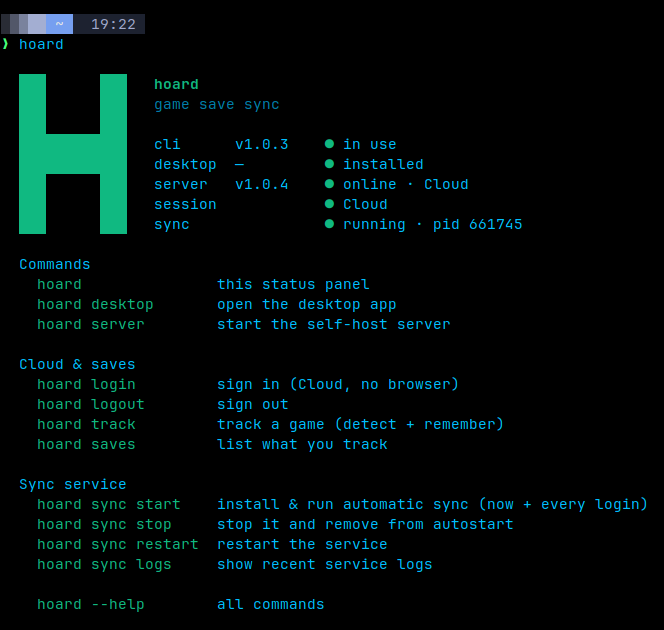
Once it's installed, this is the whole day-to-day. Most people only ever need the first two.
hoard login Sign in to Hoard Cloud or your self-hosted server.hoard sync start Install and start the background sync service. It auto-detects your games and watches their saves, across reboots.hoard sync See the service status and recent sync activity.hoard track <game> Manually track a specific game if auto-detection missed it.hoard snapshots list <id> List every saved version of a game.hoard restore <id> Roll a save back to an earlier snapshot.Grab the tarball for your platform and put the binary on your PATH yourself.
The Linux tarballs also bundle hoard-server and hoard-admin for self-hosting.
Linux · macOS
tar -xzf hoard-*-*.tar.gz
mv hoard-*/hoard ~/.local/bin/
hoard login
Windows · PowerShell
tar -xzf hoard-*-windows-x86_64.tar.gz
# move hoard.exe onto your PATH, then:
.\hoard.exe login
Replace the version and platform in each filename with the ones you downloaded.
The desktop app is the easiest way to run Hoard on your computer.
The Linux CLI tarball ships hoard-server and hoard-admin too. The guide walks through Docker and systemd.
Looking for a different version or architecture? Every build lives on GitHub Releases.