Skip to content

Press

Hoard press kit

Everything you need for an article, a video or a review: descriptions ready to paste, the facts, the images and what changed in the latest release. No need to ask first.
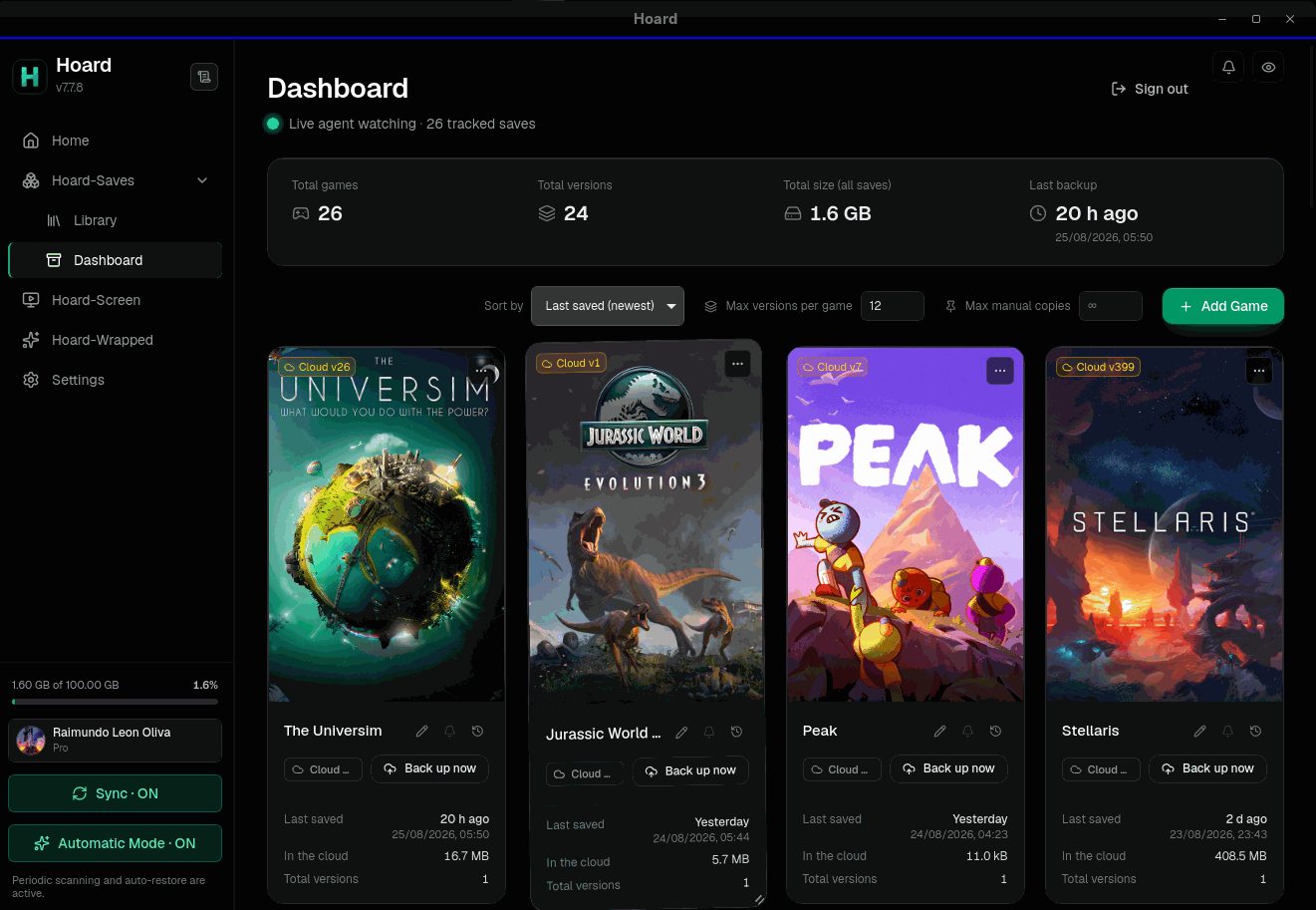
The Hoard desktop app showing the game library with synced saves and version history
The desktop app 1100 × 877 · 135.3 KB Download

About Hoard

Three lengths, ready to paste. Use them as they are or as a starting point.

One line

Hoard is a free, open-source app that backs up game saves and keeps them in sync across PCs and Steam Deck, with every version kept.

Short

Hoard backs up game saves automatically and syncs them between Windows, macOS, Linux and Steam Deck: stop playing on one machine and the game is waiting on the next. Every change is kept as a version to roll back to. It finds saves for Steam, GOG, Epic, itch.io and emulators on its own. Players can use the free Hoard Cloud, hosted in the EU, or run the same open-source server on their own hardware.

Long

Hoard is a free, open-source tool that backs up and syncs PC game saves. A small background service watches the folders games save into; when a session ends, it stores the change as a new version and syncs it to the player's other machines, on Windows, macOS, Linux and Steam Deck. Saves for Steam, GOG, Epic, itch.io, emulators and Proton or Wine prefixes are detected on their own, and any folder can be added by hand. Versions are deduplicated by content hash, so ten versions of a 2 GB save take about 2 GB, not 20, and every file is checked with SHA-256. There are two ways to run it. Hoard Cloud is the managed option, hosted in the EU, with a free plan. Self-hosting runs the same server on one's own hardware, from a NAS to a Raspberry Pi, with no account with Hoard, no quotas and nothing sent to the project. Hoard is written in Rust, licensed under AGPL-3.0 and built by an independent developer, Raimundo León Oliva.

Fact sheet

What it is
Automatic backup and sync for PC game saves, with full version history
Platforms
Windows, macOS, Linux and SteamOS (Steam Deck), plus a command-line tool for servers and NAS
Price
Free. Hoard Cloud Pro is optional: €1.99 a month for 100 GB
Self-hosting
The same open-source server, on any hardware: no account with Hoard, no quotas, no data sent to the project
Hoard Cloud
The managed option, hosted in the EU (Frankfurt), with a free plan
License
Open source, AGPL-3.0
Built with
Rust, Tauri and Svelte
Languages
English, Spanish, German, French, Italian, Japanese, Portuguese and Chinese
Made by
Raimundo León Oliva, an independent developer. No investors
Current version
v1.2.2, released October 13, 2026

Images

Every file is also in the .zip, at full size.

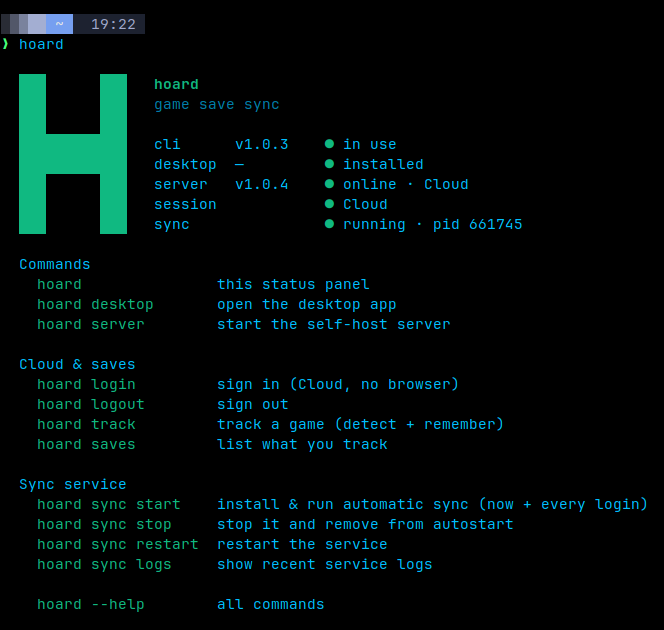
The command line
The command line 664 × 630 · 13.7 KB Download
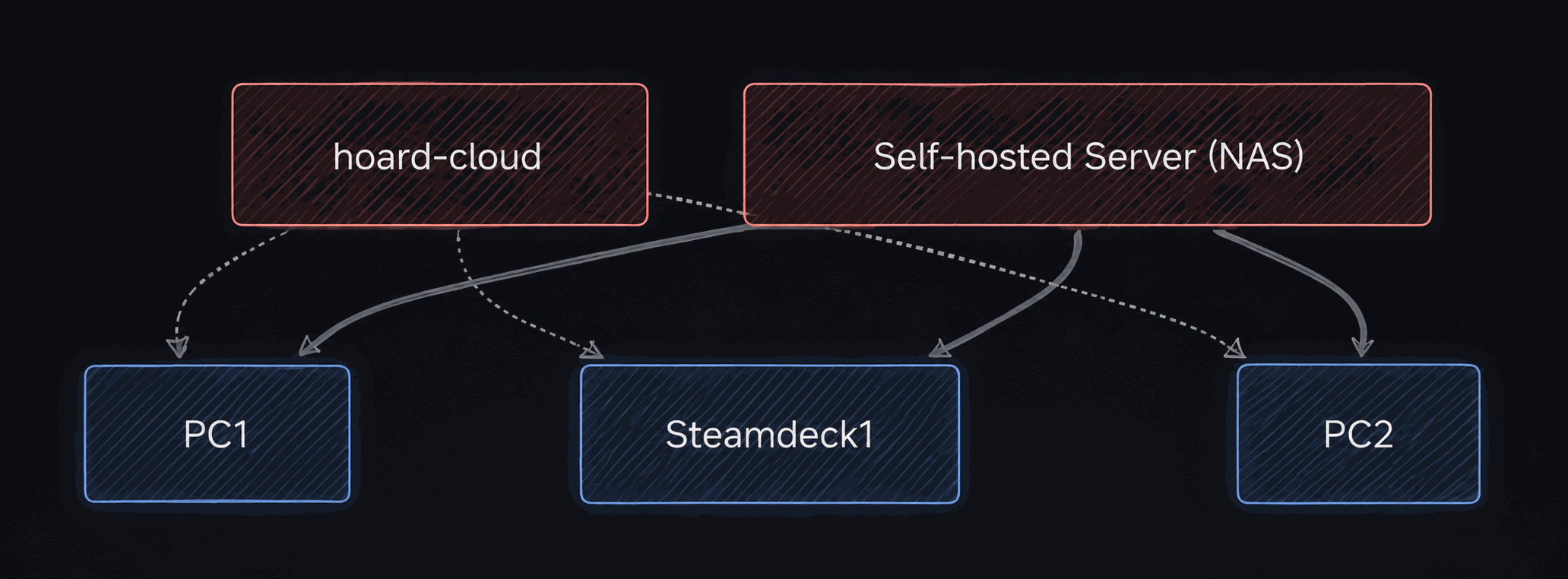
Hoard Cloud or a self-hosted server, syncing every device
Hoard Cloud or a self-hosted server, syncing every device 2063 × 762 · 143.8 KB Download
Icon, square
Icon, square 512 × 512 · 4.6 KB Download
Icon, transparent background
Icon, transparent background 40 × 40 · 1.6 KB Download

Latest release

v1.2.2 · October 13, 2026

New

  • What Pro is, inside the app.
  • An app downloaded on its own gets a proper install.

Changed

  • One installer, one Hoard per machine.
  • Installing or updating takes over from any older Hoard.
  • Uninstalling from Windows Settings removes everything.
  • Dropdowns, covers and storage, redrawn.
  • The tour explains storage and sync.
  • Three exports a day on Hoard Cloud.
  • The Hoard Cloud rate limit keys on the real address.
Fixed (19)
  • Hoard Setup no longer asks for an administrator on Windows.
  • The install scripts no longer fail behind a shared address.
  • The Panel could eat all the memory on Linux.
  • The Flatpak broke the login entry on the host.
  • The Flatpak no longer offers updates it can't install.
  • Two Hoards on one machine no longer trade accounts.
  • Automatic mode respects what you take away.
  • Detection takes less that isn't a save.
  • Signing in no longer hands over the previous account.
  • The sign-in tokens no longer reach the log.
  • A crafted sign-in link can't send the session elsewhere.
  • AppImageLauncher no longer stops Hoard at login.
  • Signing in on SteamOS opened Discover.
  • The self-hosted panel's login throttle held behind nginx.
  • macOS: a failed install no longer leaves the sync off until the next login.
  • Hoard Setup on Linux minds its own user.
  • Windows no longer asks about the app on every start.
  • hoard upgrade says when the install has to be moved first,
  • Escape in a dropdown no longer closes the dialog around it,

Full changelog on GitHub

Using this material

The texts, screenshots and icons on this page are free to use in articles, videos and reviews about Hoard, with no need to ask. If you link to us, link to hoard.services.