Skip to content

媒体

Hoard 媒体资料包

撰写文章、制作视频或评测所需的一切:可直接粘贴的介绍、基本信息、图片,以及最新版本的变化。无需事先询问。
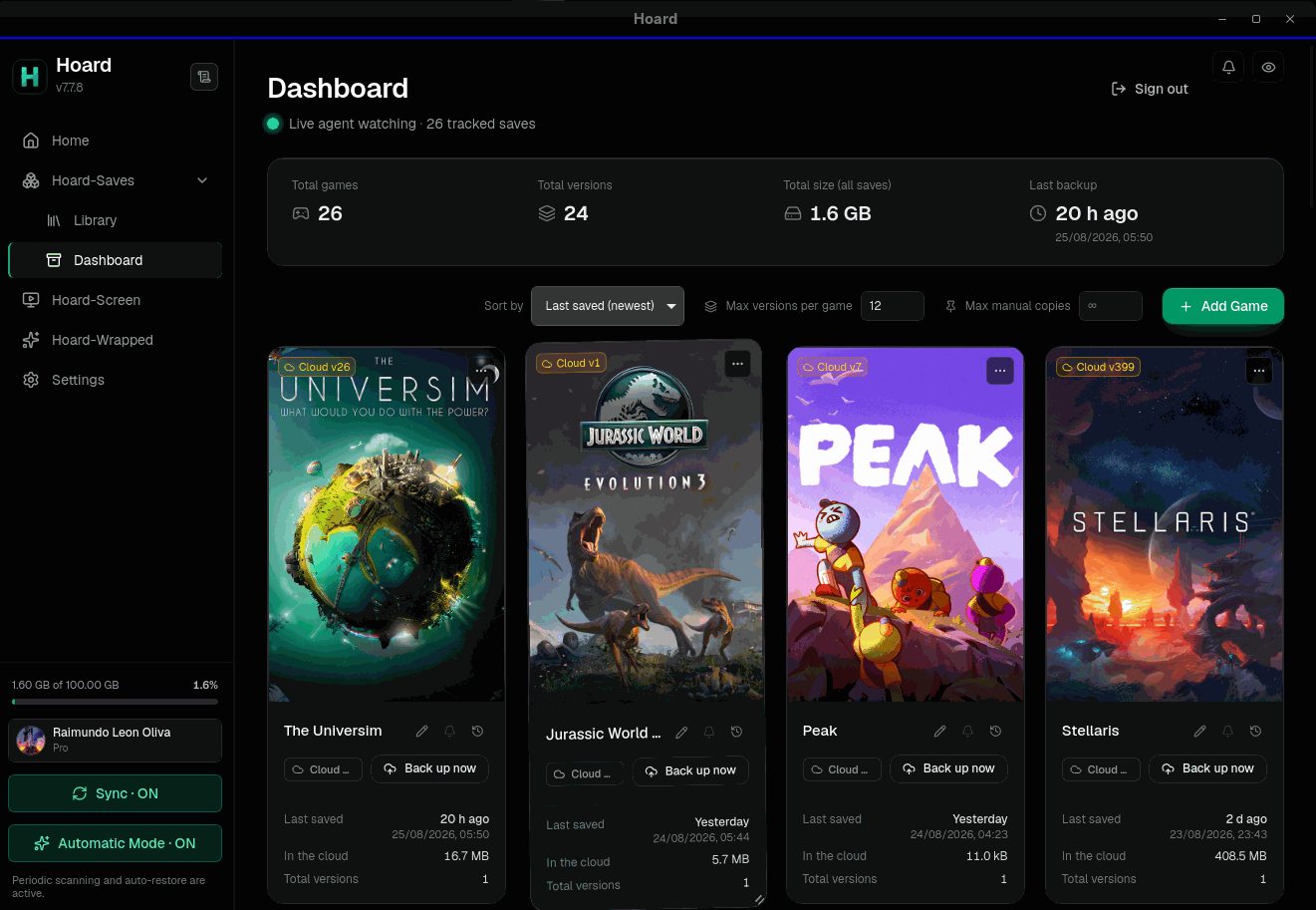
Hoard 桌面应用,显示带有已同步存档和版本历史的游戏库
桌面应用 1100 × 877 · 135.3 KB 下载

关于 Hoard

三种长度,可直接粘贴。原样使用或作为起点都可以。

一句话

Hoard 是一款免费开源应用,可备份游戏存档,并在 PC 和 Steam Deck 之间保持同步,保留每一个版本。

简短

Hoard 会自动备份游戏存档,并在 Windows、macOS、Linux 和 Steam Deck 之间同步:在一台机器上停下,游戏就在下一台机器上等着。每次改动都会保存为可以回退的版本。它能自动找到 Steam、GOG、Epic、itch.io 和模拟器的存档。可以使用托管在欧盟的免费 Hoard Cloud,也可以在自己的硬件上运行同一个开源服务器。

完整

Hoard 是一款免费开源工具,用于备份和同步 PC 游戏存档。一个小巧的后台服务会监视游戏保存存档的文件夹;每次游戏结束时,它会把改动保存为一个新版本,并同步到玩家的其他机器上,支持 Windows、macOS、Linux 和 Steam Deck。Steam、GOG、Epic、itch.io、模拟器以及 Proton 或 Wine 前缀中的存档都会被自动检测,任何文件夹也都可以手动添加。版本按内容哈希去重,因此一个 2 GB 存档的十个版本只占约 2 GB,而不是 20 GB,并且每个文件都会用 SHA-256 校验。使用方式有两种。Hoard Cloud 是托管选项,服务器位于欧盟,提供免费方案。自托管则在自有硬件上运行同一个服务器,从 NAS 到树莓派都可以,无需 Hoard 账号,没有配额,也不会向项目发送任何数据。Hoard 使用 Rust 编写,采用 AGPL-3.0 许可证,由独立开发者 Raimundo León Oliva 开发。

基本信息

是什么
PC 游戏存档的自动备份与同步,附带完整的版本历史
平台
Windows、macOS、Linux 和 SteamOS(Steam Deck),另有适用于服务器和 NAS 的命令行工具
价格
免费。Hoard Cloud Pro 为可选项:每月 €1.99,100 GB 空间
自托管
同一个开源服务器,可运行在任何硬件上:无需 Hoard 账号,没有配额,不向项目发送任何数据
Hoard Cloud
托管选项,服务器位于欧盟(法兰克福),提供免费方案
许可证
开源,AGPL-3.0
技术栈
Rust、Tauri 和 Svelte
语言
英语、西班牙语、德语、法语、意大利语、日语、葡萄牙语和中文
开发者
Raimundo León Oliva,独立开发者。没有投资方
当前版本
v1.2.2,2026年10月13日 发布

图片

所有文件也以原始尺寸包含在 .zip 中。

命令行
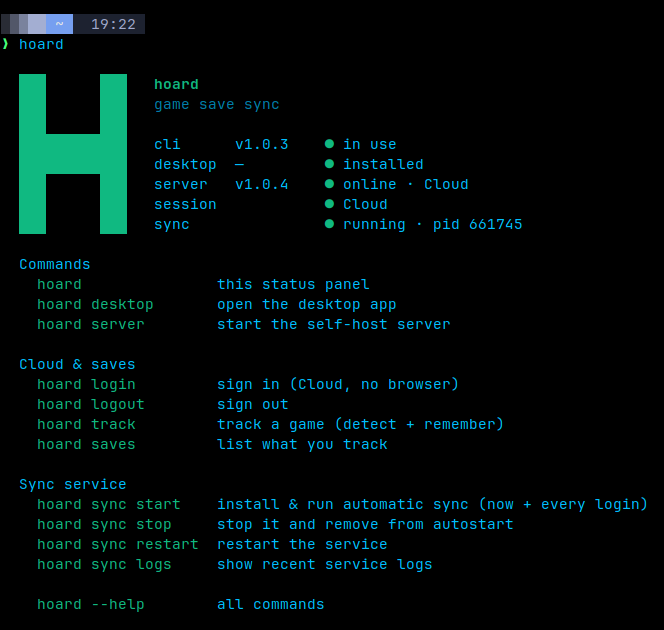
命令行 664 × 630 · 13.7 KB 下载
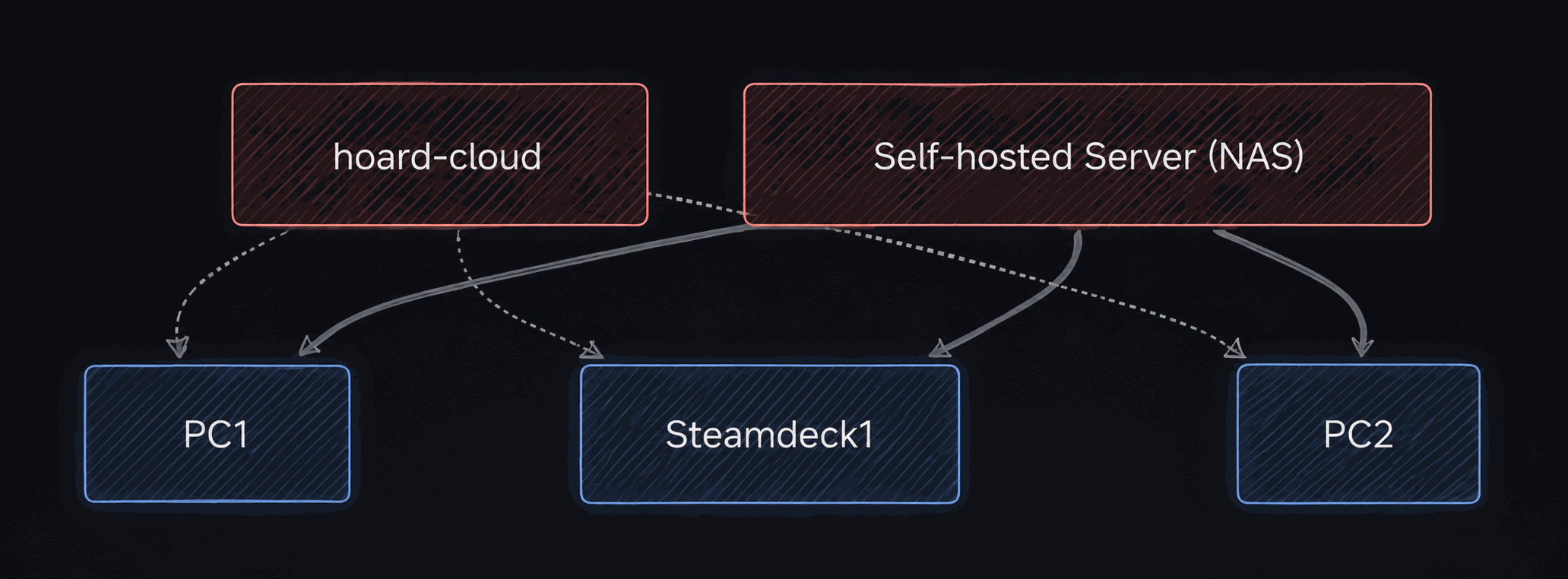
Hoard Cloud 或自托管服务器,同步每一台设备
Hoard Cloud 或自托管服务器,同步每一台设备 2063 × 762 · 143.8 KB 下载
图标,方形
图标,方形 512 × 512 · 4.6 KB 下载
图标,透明背景
图标,透明背景 40 × 40 · 1.6 KB 下载

最新版本

v1.2.2 · 2026年10月13日

更新说明以英文撰写。

新增

  • What Pro is, inside the app.
  • An app downloaded on its own gets a proper install.

变更

  • One installer, one Hoard per machine.
  • Installing or updating takes over from any older Hoard.
  • Uninstalling from Windows Settings removes everything.
  • Dropdowns, covers and storage, redrawn.
  • The tour explains storage and sync.
  • Three exports a day on Hoard Cloud.
  • The Hoard Cloud rate limit keys on the real address.
修复 (19)
  • Hoard Setup no longer asks for an administrator on Windows.
  • The install scripts no longer fail behind a shared address.
  • The Panel could eat all the memory on Linux.
  • The Flatpak broke the login entry on the host.
  • The Flatpak no longer offers updates it can't install.
  • Two Hoards on one machine no longer trade accounts.
  • Automatic mode respects what you take away.
  • Detection takes less that isn't a save.
  • Signing in no longer hands over the previous account.
  • The sign-in tokens no longer reach the log.
  • A crafted sign-in link can't send the session elsewhere.
  • AppImageLauncher no longer stops Hoard at login.
  • Signing in on SteamOS opened Discover.
  • The self-hosted panel's login throttle held behind nginx.
  • macOS: a failed install no longer leaves the sync off until the next login.
  • Hoard Setup on Linux minds its own user.
  • Windows no longer asks about the app on every start.
  • hoard upgrade says when the install has to be moved first,
  • Escape in a dropdown no longer closes the dialog around it,

GitHub 上的完整更新日志

素材使用

本页的文字、截图和图标可以在关于 Hoard 的文章、视频和评测中自由使用,无需询问。如需添加链接,请指向 hoard.services。